4. Live Mode — real-time data
What is Live Mode?
Live Mode connects OHP Apex to the official race data in real time. The standings and all times update automatically every few seconds. Before clicking Live, you must first choose the event (e.g. Suzuka 8 Hours) and the session (Race, Qualifying, Warm-up…) in Settings.
Info
Requirements: Active network connection (circuit WiFi or 4G) + API key registered in Settings (see page 3).
Step 1 — Select the event and session
This step is done once before the race (or when changing session). OHP Apex remembers your selection.
- Click the ⚙️ icon at the top right to open Settings.
- Verify that the API key is correctly filled in and click "Save". OHP Apex contacts the server and automatically loads the list of available events.
- The "Event" dropdown fills in. Click it and select the desired championship round (e.g. Suzuka 8 Hours 2026).
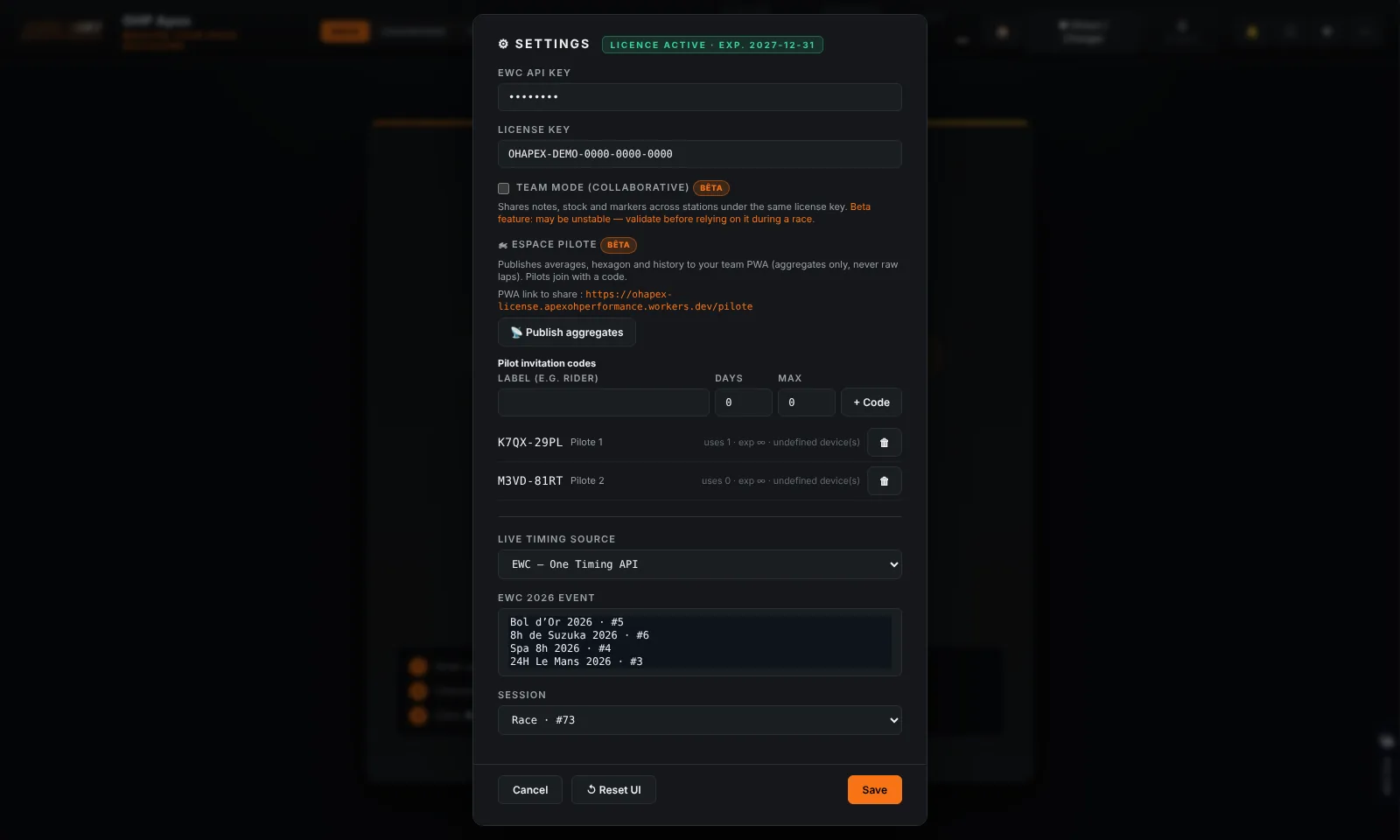
- Once an event is selected, the "Session" dropdown fills in automatically. Select the desired session:
| Session type | When to use it |
|---|---|
| Race | During the main race — continuous updates |
| Qualifying | During qualifying or EWC Superqualifying |
| Warm-up | During the warm-up session before the race |
| Free Practice (FP1, FP2…) | During private or free practice sessions |
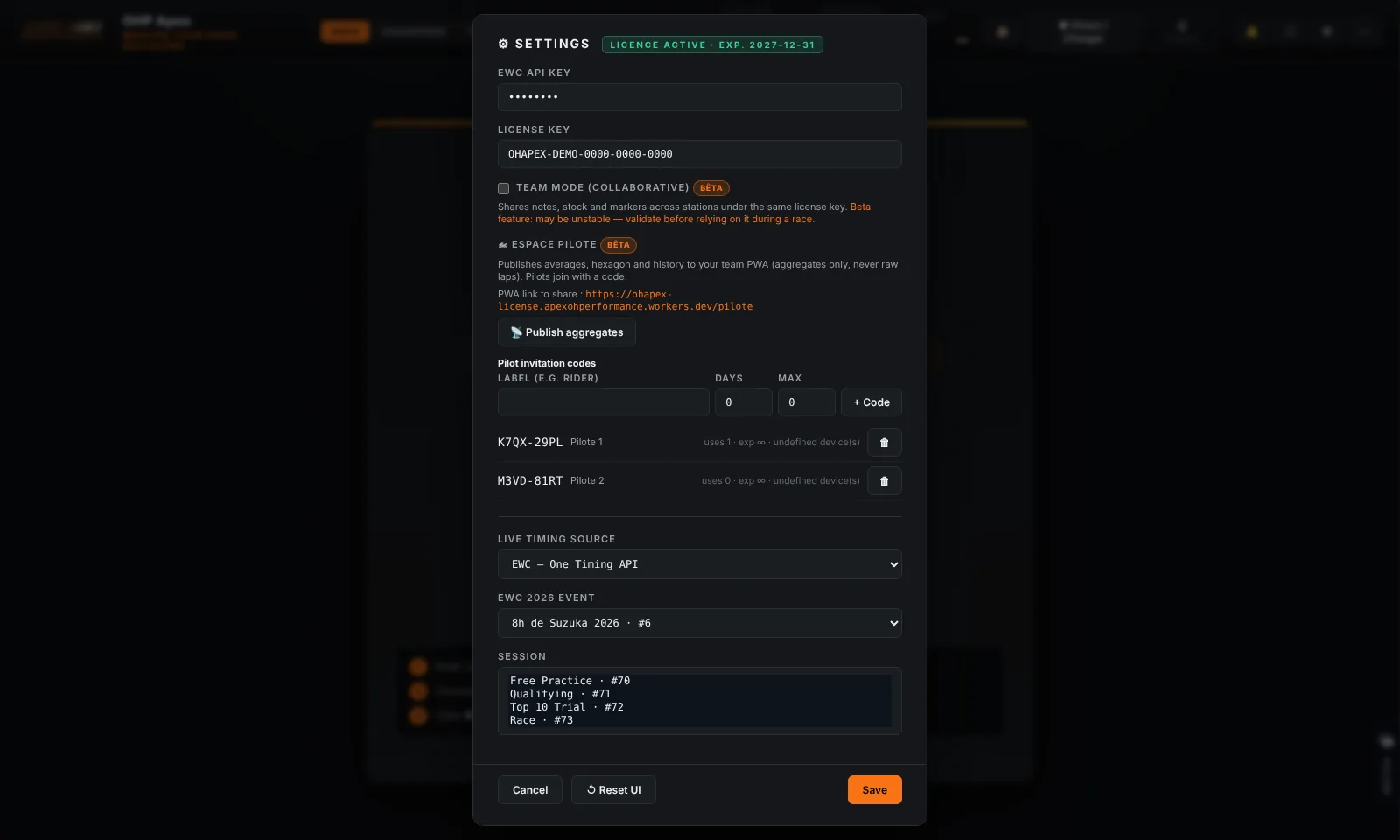
- Click "Save". The selection is stored. Close Settings.
Tip
Automatic memory: OHP Apex remembers your last chosen event and session. The next time you open the application, the selection is already ready — just click Live.